What is Computer Networking ?
Computer Networking is the practice of connecting two or more computers and devices so they can share data, resources, and information using wired or wireless connections.
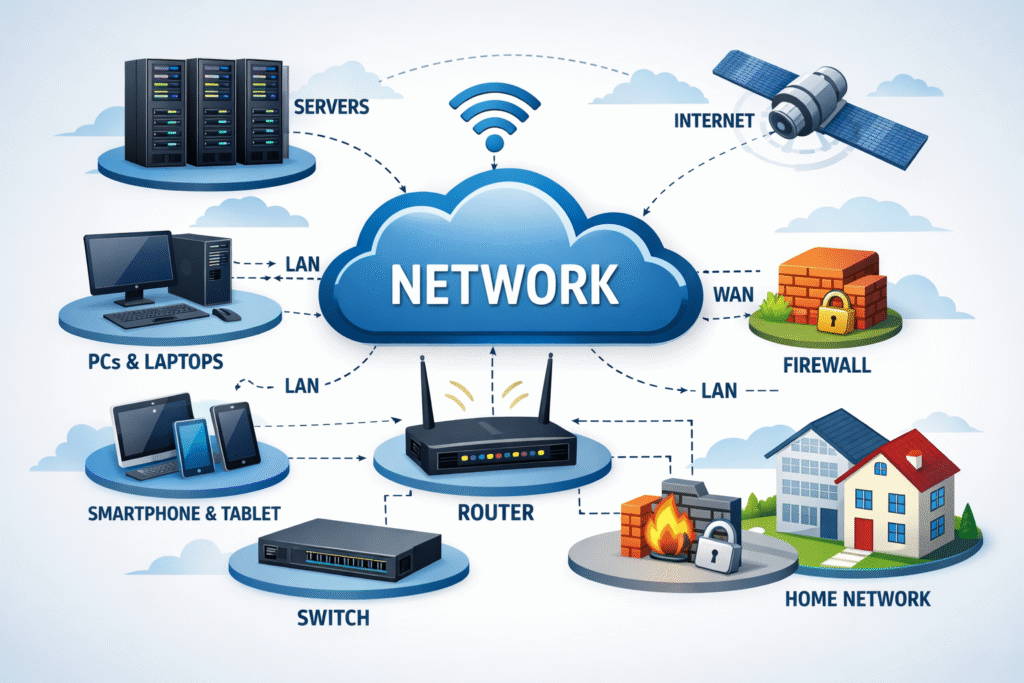
Computer networking is a system where multiple nodes are connected to share data, resources, and communication…..
-
What is Node?
Computer networking is the connection of multiple nodes through wired or wireless links so they can communicate and share information.
Example:
- Your laptop (node) sends a request
- It goes through a router (node)
- Reaches a server (node)
- The server sends data back to your laptop
Key Points:
- Each device = Node
- Nodes communicate using IP addresses
- Nodes are connected via LAN, WAN, or the Internet
What is Computer Network?
Networking is the process of creating, managing, and using a network. It involves connecting devices and enabling communication between them.
Example:
Connecting computers with cables or Wi-Fi and setting rules so they can communicate.
Network types:-
1. PAN
2. LAN
3. WAN
4. WWAN
5. MAN
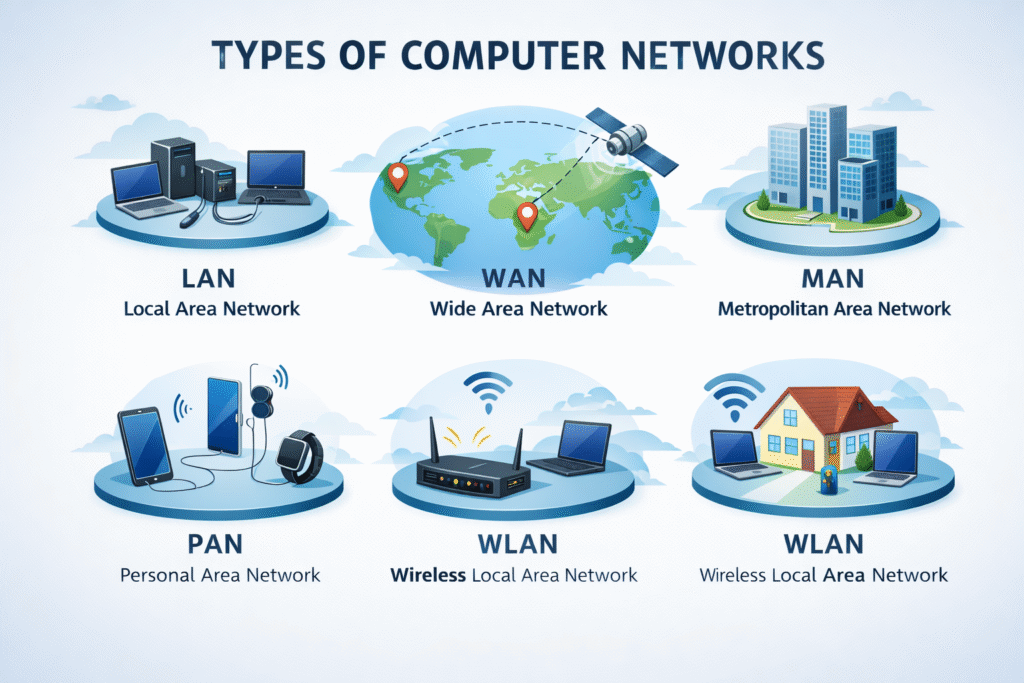
1. PAN (Personal Area Network)
A PAN connects devices around one person.
Example:
Bluetooth connection between a phone and earbuds.
2. LAN (Local Area Network)
A LAN connects computers in a small area like a home, school, or office.
Example:
Office computers connected through Wi-Fi or cables.
3. WAN (Wide Area Network)
A WAN connects computers over a large geographical area, such as cities or countries.
Example:
The Internet.
WWAN stands for Wireless Wide Area Network.
A WWAN is a type of network that provides wireless internet access over a very large area, such as cities, countries, or even worldwide.
Examples of WWAN:
-
Mobile internet on your phone
-
Internet using a SIM card in a laptop
-
Hotspot from a mobile phone
5. MAN (Metropolitan Area Network)
A MAN covers a city or large town.
Example:
A city-wide cable TV network.

Benefits of Computer Networking
Embracing computer networking offers numerous advantages for both individuals and businesses. Here’s how you can benefit:

Key Advantages for You
• Increased Efficiency: Streamlined communication allows for quicker decision-making and knowledge sharing.
• Resource Sharing: Share printers, files, and internet connections effortlessly, which reduces costs.
• Scalability: Add new devices and users to the network without compromising performance.
• Enhanced Security: Centralized control over who accesses data ensures better security measures are in place.
• Improved Collaboration: Enable seamless cooperation among team members, even when they are remote.